How to Build a More Comfortable Gaming Setup

Learn how to create a more comfortable gaming setup with supportive seating, practical desks, and useful accessories. Explore tips for improving posture, organizing equipment, and making long gaming sessions more enjoyable.
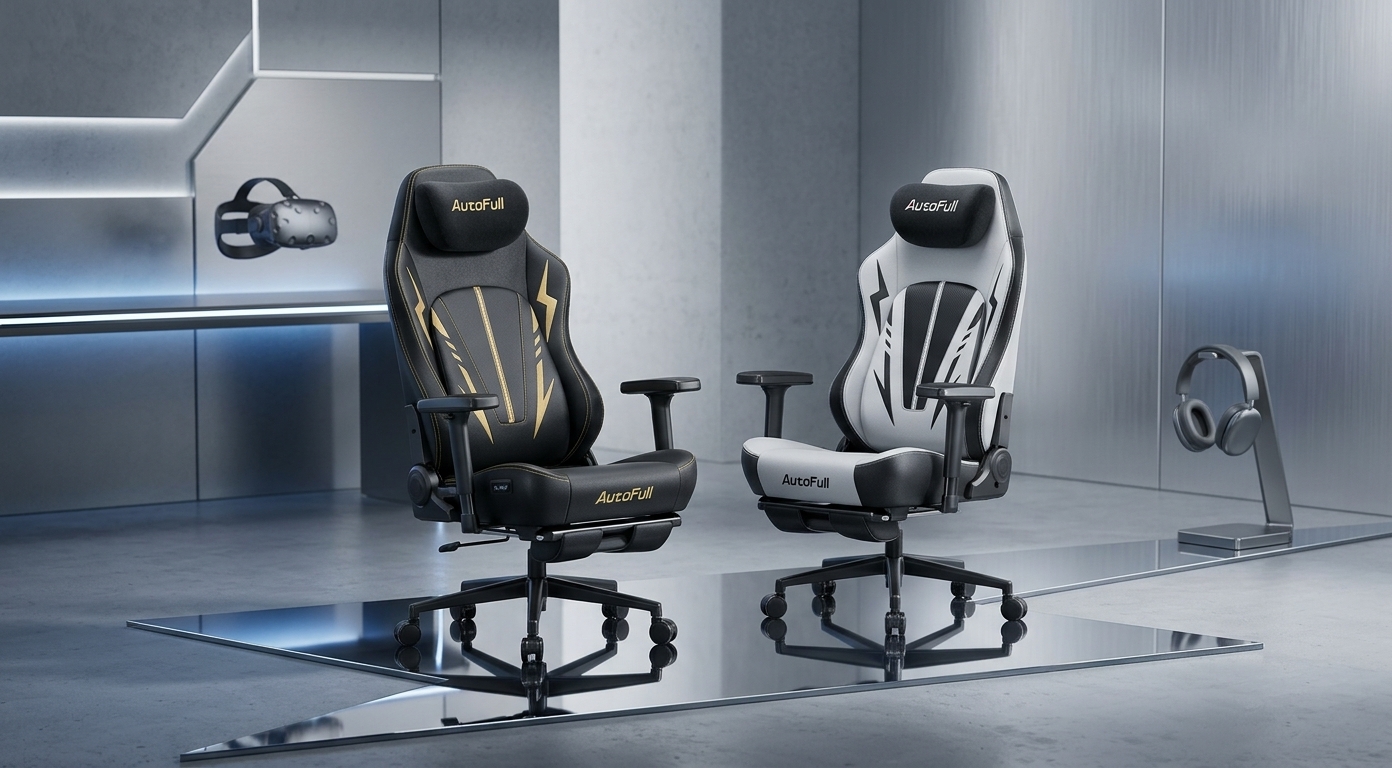
Long gaming sessions can become uncomfortable without proper support. Back pain, stiff shoulders, and tired wrists often distract players from their favorite games. Fortunately, thoughtful upgrades can make a significant difference. An Autofull Gaming Chair can create a more supportive environment alongside suitable furniture and accessories. Together, these improvements encourage better posture and make extended gaming sessions more enjoyable.
Common Problems With Gaming Setups
Many players invest in powerful computers, quality monitors, and responsive keyboards. However, they often overlook the furniture that supports their daily gaming activities. Poor seating and awkward desk positioning can gradually cause discomfort.
Common problems include:
- Back discomfort: Unsupportive chairs can encourage slouching during extended sessions.
- Neck and shoulder tension: Incorrect monitor height can force players to lean forward.
- Wrist strain: Poor keyboard positioning can place unnecessary pressure on the wrists.
- Limited legroom: Small desks and unsuitable chair dimensions can restrict movement.
- Frequent fatigue: Uncomfortable seating can make long sessions feel more demanding.
These problems often arise when setup components fail to complement each other. Therefore, upgrading individual accessories without considering the entire arrangement may deliver limited benefits.
Why Gaming Furniture Affects Comfort
Gaming furniture influences posture, movement, and the overall playing experience. A chair might feel comfortable initially but provide insufficient support after several hours. Similarly, an unsuitable desk can force players into awkward positions.
Several factors contribute to these problems:
- Incorrect seat height: Poor foot placement can increase pressure on the legs.
- Poor lumbar support: Insufficient lower-back support can encourage slouching.
- Improper desk height: An unsuitable desk can affect shoulder and wrist positioning.
- Restricted movement: Limited space can prevent comfortable changes in posture.
- Insufficient adjustments: Fixed armrests and rigid backrests may not accommodate different body shapes.
Ergonomic gaming chairs address some seating concerns through adjustable features and supportive designs. However, comfort depends on individual needs, chair dimensions, and proper adjustments.
Gaming desks also play an important role. A suitable desk provides enough room for monitors, keyboards, and other equipment. Additionally, it allows relaxed shoulders and comfortable arm positioning while keeping essential items within easy reach.
Practical Ways to Improve a Gaming Setup
Improving a gaming setup does not require replacing every item. Instead, small adjustments can address common discomfort and create a more organized playing area.
Adjust the Chair Correctly
First, adjust the seat height so both feet rest flat on the floor. Keep the knees at a comfortable angle and avoid pressing the seat edge against the backs of the legs.
Next, adjust the backrest to support a natural sitting posture. Adjustable lumbar support and armrests can also accommodate different body shapes. An Autofull Gaming Chair may suit players seeking a dedicated gaming seat with comfort-focused features. However, buyers should check each model's adjustments and support features before making a decision.
Choose a Suitable Gaming Desk
Choose a desk that provides sufficient space without requiring constant reaching. Keep the monitor near eye level to reduce unnecessary neck movement. Position the keyboard and mouse so the shoulders remain relaxed.
Furthermore, a well-sized desk improves cable management and equipment organization. As a result, players can maintain a more practical and accessible gaming area.
Consider Useful Gaming Chair Accessories
Gaming chair accessories can improve convenience when they address specific needs. However, accessories should complement proper seating rather than replace essential support.
Useful options include:
- Footrests: These support the feet when the chair height does not suit the desk.
- Lumbar cushions: These may provide additional lower-back support when they fit the chair properly.
- Headrest pillows: These can improve head and neck comfort in certain seating positions.
- Cable organizers: These reduce desk clutter and improve equipment accessibility.
- Wrist rests: These may support comfortable positioning when they match the keyboard and desk arrangement.
Choose accessories carefully instead of purchasing every available option. Ultimately, a properly adjusted chair and desk should form the foundation of a comfortable gaming environment.
When Is a Premium Gaming Setup Worthwhile?
Basic furniture may work well for occasional gaming. However, frequent players may benefit from equipment that offers better adjustability, durability, and thoughtful design.
Premium ergonomic gaming chairs often feature adjustable armrests, reclining backrests, and supportive cushions. These features help players personalize their seating positions. Nevertheless, a higher price does not automatically guarantee a suitable fit.
Players can compare Autofull Gaming Chair products when exploring dedicated gaming seats. Before purchasing, evaluate seat dimensions, adjustment options, material quality, and warranty coverage. Reviewing product specifications helps identify a chair that meets individual requirements.
Similarly, gaming desks deserve careful consideration. A stable surface, suitable dimensions, and practical storage improve everyday usability. By combining compatible furniture, players can create a more balanced setup than by upgrading individual items without considering the entire arrangement.
Benefits of Upgrading Gaming Furniture
A carefully planned gaming setup can improve comfort and organization. The greatest benefits come from matching furniture to individual needs rather than simply following trends.
Key advantages include:
- Better sitting support: Appropriate adjustments encourage a more comfortable posture.
- Improved organization: Functional gaming desks provide space for essential equipment.
- Greater flexibility: Adjustable furniture accommodates different sitting positions.
- Fewer distractions: A comfortable arrangement can reduce interruptions caused by furniture-related discomfort.
- Long-term value: Durable materials and useful adjustments may reduce the need for frequent replacements.
Nevertheless, regular breaks remain essential, even when players use quality furniture. Standing, stretching, and changing positions can help reduce the effects of prolonged sitting. No chair or accessory eliminates every risk associated with extended inactivity.
Build a Setup That Supports Better Gaming
A comfortable gaming environment starts with suitable seating, a practical desk, and thoughtful equipment placement. By addressing posture, monitor height, and legroom, players can resolve many common setup problems without unnecessary spending.
Ergonomic gaming chairs, well-designed gaming desks, and carefully selected gaming chair accessories each contribute to a more functional space. The best choices depend on body dimensions, available room, gaming habits, and budget.
For players considering a dedicated seating upgrade, an Autofull Gaming Chair may be worth comparing with other options. Reviewing product features, measurements, and adjustment capabilities helps identify a suitable fit. Finally, informed purchasing decisions and regular movement breaks can make a gaming setup more comfortable, organized, and enjoyable.