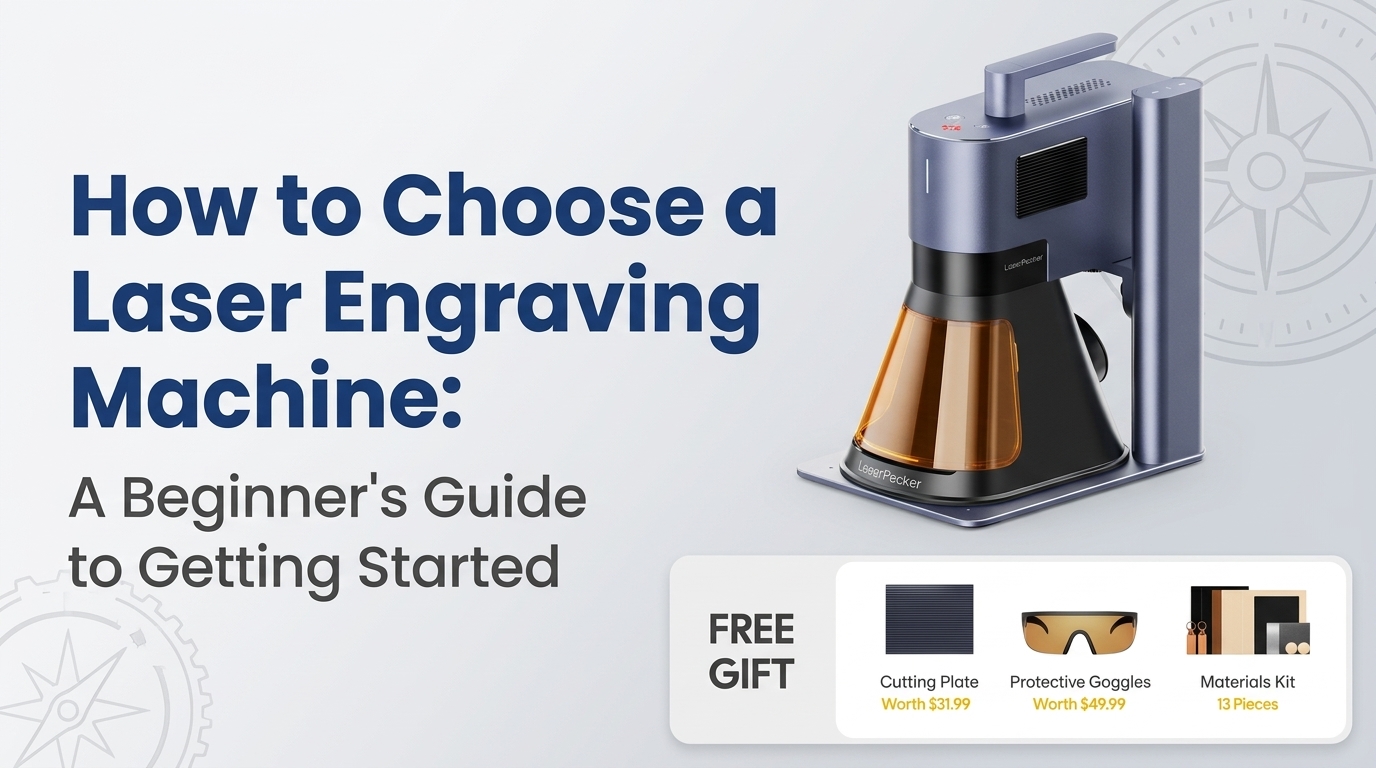
How to Choose a Laser Engraving Machine: A Beginner's Guide to Getting Started

Discover how to choose a laser engraving machine for your creative projects or small business. Compare laser types, material compatibility, working area, software, and safety features to find the right equipment for your needs.
Have you ever wanted to create personalized gifts, custom wooden signs, engraved tumblers, or unique products to sell online, but felt overwhelmed by the equipment required? Traditional crafting methods can be time-consuming, and achieving consistent results by hand often takes considerable practice.
A laser engraving machine can make the process more accessible by using a focused beam of light to mark or engrave designs onto compatible materials. Whether you're exploring a creative hobby or planning a small business, the right equipment can help turn your ideas into finished products.
However, choosing your first machine isn't always straightforward. Different models offer different power levels, engraving areas, software options, and material capabilities. Understanding these differences can help you avoid unnecessary expenses and choose equipment that fits your goals.
Common Challenges When Starting Laser Engraving
1. Choosing the Wrong Machine
Beginners often assume that the most powerful or expensive machine is automatically the best choice. In reality, a machine designed for industrial production may be unnecessarily complicated for someone making occasional personalised gifts.
On the other hand, a small entry-level model might not meet the needs of someone planning to process larger items or fulfil regular customer orders.
2. Not Knowing Which Materials Are Suitable
Wood, leather, coated metals, glass, acrylic, and other materials behave differently under laser exposure. A machine that engraves one material effectively may be unsuitable for another.
Some materials require specific laser wavelengths, while others cannot be safely processed at all.
3. Struggling With Software and Setup
Creating a design is only part of the process. You also need to position the artwork, select appropriate settings, and understand how speed and power affect the result.
Without clear instructions, beginners may waste materials while learning through trial and error.
4. Worrying About the Initial Investment
A machine's purchase price is only one part of the total cost. Accessories, ventilation, protective equipment, materials, and replacement components can all affect your budget.
Planning for these expenses from the beginning helps you make a more informed purchase.
What Makes Laser Engraving Difficult at First?
Laser engraving combines digital design with a physical manufacturing process. The machine follows a digital pattern and uses controlled laser energy to alter the surface of a suitable material.
The final result depends on several factors, including laser type, material composition, focus, speed, power, and surface preparation.
For example, excessive power may burn wood too deeply, while insufficient energy may produce a faint design. Different materials also absorb laser energy differently, so settings that work well on one surface may not work on another.
The good news is that these skills become easier with practice. Choosing user-friendly equipment and following the manufacturer's guidance can shorten the learning curve.
How to Choose a Laser Engraver for Beginners
Start With Your Intended Projects
Before comparing specifications, decide what you want to make.
Personalised gifts: Consider compact equipment suitable for small designs on compatible materials.
Wooden signs and decorations: Look for a suitable laser type, sufficient working area, and the ability to handle the thickness and material you plan to use.
Jewellery and metal tags: Check whether the machine can directly engrave your chosen metal or requires a specially coated surface.
Small-business products: Consider repeatability, workflow, software compatibility, and how efficiently the machine can process orders.
A laser engraver for beginners should support your current projects while leaving some room for future experimentation.
Understand Laser Types and Material Compatibility
Laser technology is one of the most important buying considerations.
Diode lasers are commonly used for hobby projects and engraving suitable wood, leather, and coated surfaces. Their capabilities vary by model, and many cannot directly engrave bare metals effectively.
Fiber lasers are often better suited to direct marking and engraving many metals. They are popular for applications involving tools, metal tags, and certain jewellery products.
CO₂ lasers are widely used for materials such as wood, leather, paper, and many types of acrylic. Compatibility depends on the machine and material; some transparent or coloured materials behave differently from others.
Always check the manufacturer's material compatibility guidance. Never assume that every laser can process every material.
Compare Working Area, Speed, and Precision
A larger engraving area is useful for bigger projects, but it may increase the machine's footprint and cost. If you're making small keychains or labels, a compact model could be more practical.
Speed and precision also matter, especially when you want to produce several identical items. However, advertised maximum speeds don't necessarily represent the time required for every real-world job.
Look for specifications that match your intended work rather than focusing on a single headline number.
Check Software and Ease of Use
Good software can make a major difference to the beginner experience. Look for clear setup instructions, supported file formats, straightforward controls, and compatibility with your computer or mobile device.
Features such as previews, positioning aids, and adjustable settings can help you place designs accurately and reduce wasted material.
Practical Tips for Better Results
You don't need to master every setting on your first day. A simple, structured approach will help you develop your skills.
Start with small projects. Practise simple text, shapes, or logos before attempting detailed artwork.
Use test pieces. Experiment on inexpensive, compatible scraps before engraving your final product.
Keep a settings log. Record the material, power, speed, and number of passes used for each successful result.
Prepare your artwork carefully. Check dimensions, alignment, and contrast before starting the job.
Prioritise ventilation and fire safety. Use appropriate extraction, never leave an operating laser unattended, and follow the manufacturer's safety requirements. Wear suitable eye protection when required.
Check materials before engraving. Avoid unknown plastics and materials that may release hazardous fumes. PVC and vinyl, for example, should not be laser processed because they can release corrosive and toxic gases.
These habits help you build confidence while protecting your equipment, workspace, and health.
Exploring a Premium Solution With LaserPecker
Once you understand your project requirements, exploring specialist equipment can help you find a more suitable setup.
LaserPecker offers portable laser engraving machines designed for different creative and practical applications. Depending on the model, features may include compact designs, digital workflow tools, and support for engraving selected materials.
When comparing options from LaserPecker, focus on the machine's laser technology, compatible materials, working area, software, and safety features. A portable design may be especially appealing if you have limited workspace or want equipment that is easier to store between projects.
The right choice depends on your goals. A hobbyist making occasional gifts may need a different machine from a business engraving metal products every day. Checking the specifications for the exact model is more useful than assuming every machine offers the same capabilities.
Benefits of Upgrading to the Right Equipment
A well-matched laser engraving machine can make creative work more manageable and consistent.
More design freedom: Turn digital artwork, names, logos, and patterns into customised products.
Repeatable results: Save successful settings and reuse designs for future projects.
Greater productivity: Reduce some of the manual work involved in producing personalised items.
Room to grow: Develop new skills and explore additional compatible materials as your needs change.
Potential business opportunities: Create products such as personalised gifts, signs, labels, and promotional items, provided your equipment suits the intended application.
Premium equipment can also offer workflow features that make frequent projects easier. However, the best investment is the one that matches your workload, budget, and skill level, not necessarily the most expensive model available.
Conclusion: Start Small and Choose With Confidence
Getting started with laser engraving doesn't have to be complicated. Identify the products you want to create, understand the materials involved, and compare machines based on compatibility, ease of use, precision, and safety.
A laser engraver for beginners should make learning manageable while giving you the capabilities needed for your first projects. As your experience grows, you can explore more advanced designs and production techniques.
If you're ready to explore your options, browse the range at LaserPecker and compare the specifications of individual models against your needs. With careful planning and regular practice, you can turn creative ideas into personalised products without investing in features you may never use.
Recent Blogs
-
How to Choose the Right Pool Skimmer: A Smarter Way to Keep Your Pool Clean
-
Looking for the Best Laser Therapy Device? A Practical Guide for Pet Owners and Wellness Enthusiasts
-
Looking for the Best Affordable Red Light Therapy Panel? Here’s What Most Buyers Get Wrong
-
Why Beard-Friendly Mouth Tape Is Changing Sleep Quality for Better Breathing
-
Why Replacing Small Parts Can Save You Hundreds of Dollars?