How to Choose Custom Gaming Controllers for Better Play

Learn how to choose custom gaming controllers by comparing comfort, button layouts, platform compatibility, and useful accessories for a personalised gaming experience.
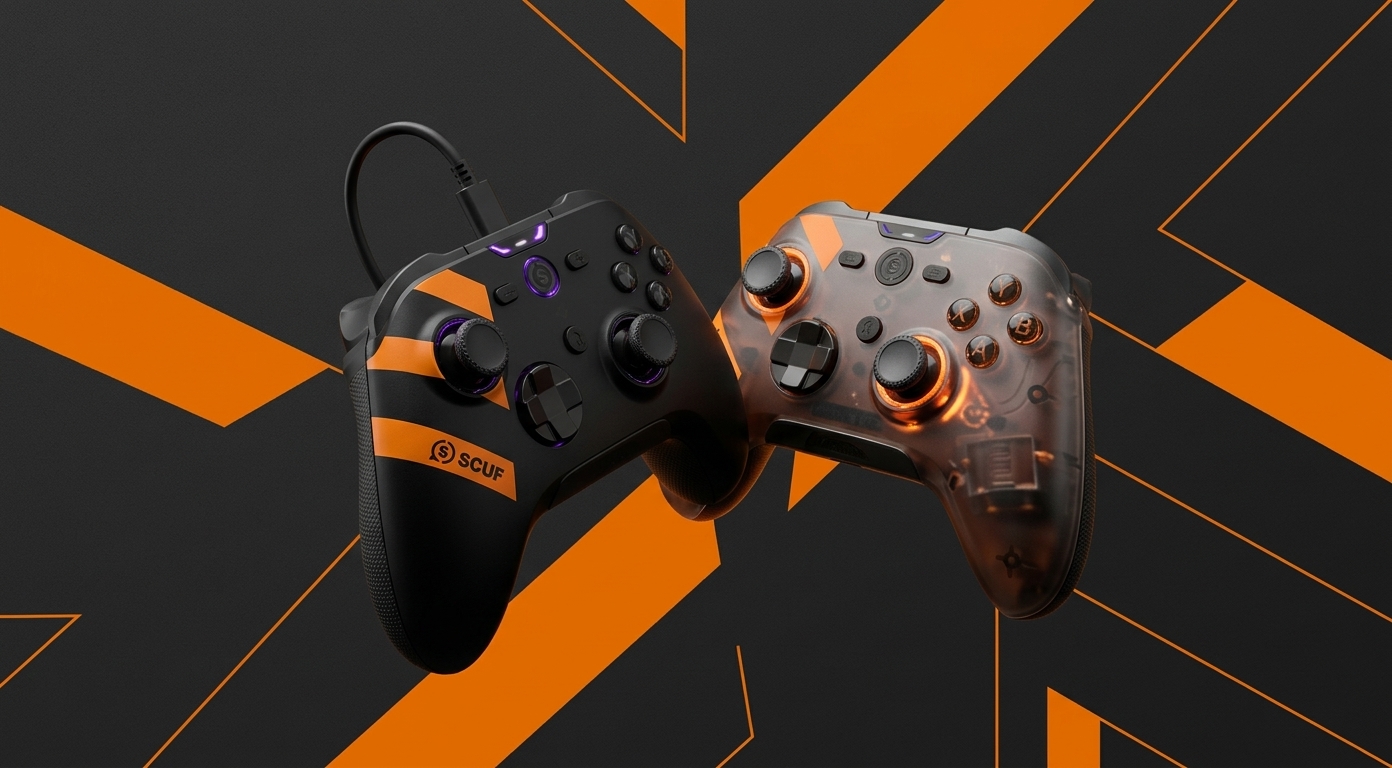
Have you ever lost a close match because your controller felt uncomfortable or responded poorly? Even skilled players struggle when their equipment doesn't match their playing style. Fortunately, SCUF Gaming offers options worth exploring for a personalised gaming setup.
Custom Gaming Controllers help players adjust controls, improve comfort, and match their preferences. However, choosing the right controller requires more than attractive colours or premium features. Consider compatibility, button placement, grip, and your favourite games before making a decision.
Common Problems Gamers Face With Standard Controllers
Standard controllers work well for many players, but they don't meet everyone's needs. Different games demand different movements, reactions, and control preferences.
Here are some common frustrations gamers experience:
- Limited button access: Reaching certain buttons can interrupt movement or slow reactions.
- Uncomfortable grips: Poorly fitting controllers can cause discomfort during extended gaming sessions.
- Inconsistent performance: Worn buttons or drifting analogue sticks can disrupt precise inputs.
- Limited personalisation: Standard designs may lack adjustments that competitive players prefer.
- Compatibility confusion: Controllers don't always work across PlayStation, Xbox, and PC platforms.
These issues can affect casual enjoyment and competitive performance. Therefore, understanding your needs helps you choose equipment that supports your gaming habits.
Why Do These Controller Problems Happen?
Several factors influence controller comfort and performance. First, every player has different hand sizes, grip styles, and preferences. Consequently, a controller that feels natural to one person might feel awkward to another.
Second, different game genres require different control techniques. First-person shooters often reward precise aiming and quick inputs. Meanwhile, racing games depend on smooth steering and responsive triggers.
Finally, regular use causes wear and tear. Dust, damaged components, and ageing analogue sticks can reduce responsiveness over time. However, you don't always need a complete replacement. Instead, clean your controller carefully, check game settings, and adjust sensitivity to resolve minor frustrations.
Practical Ways to Improve Your Controller Setup
Before investing in new equipment, consider several practical adjustments. These small changes can make your existing setup more comfortable and efficient.
Adjust Your Button Layout
Many games let players remap buttons through their settings. Experiment with layouts that keep frequently used actions within comfortable reach.
For example, remap crouching, jumping, or reloading to reduce awkward finger movements. However, choose a layout that feels natural instead of copying another player's settings.
Find a Comfortable Grip
Comfort matters when you play for extended periods. Hold your controller naturally and check whether your fingers reach every essential button without excessive stretching. Additionally, take regular breaks and relax your hands. Avoid gripping the controller too tightly to reduce unnecessary strain during longer sessions.
Check Sensitivity and Dead Zones
Sensitivity settings control how quickly your character or camera responds to stick movements. Meanwhile, dead-zone settings determine how far a stick must move before the game registers an input. Make small adjustments instead of changing everything simultaneously. This approach helps you identify settings that feel accurate and predictable.
Choose Useful Gaming Controller Accessories
Gaming Controller Accessories can improve comfort, organisation, and convenience. Depending on your needs, consider these options:
- Thumbstick grips: Add texture and provide a different feel during aiming.
- Protective cases: Help protect controllers during storage and travel.
- Charging docks: Keep compatible controllers organised and ready to use.
- Replacement components: Address worn or damaged parts when compatible replacements are available.
Always check compatibility before purchasing accessories. Additionally, prioritise practical improvements over decorative features you rarely use.
When Should You Consider Custom Gaming Controllers?
If basic adjustments haven't resolved your frustrations, a customised controller may offer a better experience. SCUF Gaming provides an option worth exploring when comparing controllers for different gaming preferences.
Custom Gaming Controllers may feature alternative button configurations, adjustable design choices, and additional rear controls on selected models. These features can help players access important actions without moving their thumbs away from the analogue sticks.
Before choosing a model, compare its specifications carefully. Focus on features that address your actual challenges instead of paying extra for unnecessary options.
Consider these questions before upgrading:
- Which games do you play most frequently?
- Do you need additional controls for specific actions?
- Does grip comfort matter more than appearance?
- Does the controller support your preferred gaming platform?
- Do the available features justify the purchase price?
Your answers will help narrow your options and prevent unnecessary spending.
Choosing Between PS5 and Xbox Controllers
PS5 and Xbox Controllers serve different console ecosystems, so compatibility should come first. A controller designed for one platform might not support another platform's features or connection methods.
When comparing options, consider these factors:
- Platform compatibility: Confirm support for your exact console and preferred connection method.
- Controller layout: Compare stick placement, button arrangement, and overall ergonomics.
- Trigger feel: Determine whether trigger responsiveness matters for your favourite games.
- Customisation: Check which button mappings, profiles, and hardware options each model supports.
- Connectivity: Review wired and wireless support, including platform-specific restrictions.
Don't assume similar-looking controllers offer identical functionality. Instead, verify the manufacturer's compatibility information before placing your order.
Benefits of Upgrading Your Gaming Controller
A well-chosen controller can make gaming more comfortable and personalised. Although premium equipment cannot guarantee better results, suitable features can help you develop a consistent playing style.
Here are some potential benefits:
- Improved accessibility: Additional controls can make frequently used actions easier to reach.
- Greater comfort: A suitable shape and grip can make extended sessions more manageable.
- Personalised gameplay: Customisation options let you adapt controls to your preferences.
- More consistent inputs: Responsive, well-maintained controls can support more predictable gameplay.
- Better setup organisation: Compatible charging solutions and protective accessories simplify your gaming space.
Ultimately, the best upgrade addresses a genuine problem rather than simply adding expensive features.
How to Make a Smarter Purchasing Decision
Before choosing a premium controller, establish a realistic budget and compare several models. Read the specifications, check warranty coverage, and review the manufacturer's support information.
SCUF Gaming is worth considering if you want to explore customisation options for your gaming setup. However, compare individual models carefully because features, platform support, and customisation choices can vary.
Prioritise these purchasing essentials:
- Confirm compatibility with your console or gaming platform.
- Compare standard and customised controller features.
- Check the availability of replacement parts and accessories.
- Review return policies and warranty conditions.
- Choose features that match your gaming habits and budget.
This simple checklist helps you focus on practical value instead of marketing claims.
Conclusion: Find a Controller That Fits Your Play Style
Choosing the right controller starts with identifying what holds you back during gaming. Whether you need a comfortable grip, better button access, or compatible accessories, small improvements can make gaming more enjoyable.
Explore different Custom Gaming Controllers and compare PS5 and Xbox Controllers carefully. Additionally, choose Gaming Controller Accessories that solve specific problems. If you're considering a personalised upgrade, SCUF Gaming offers a starting point for researching available options. Ultimately, the smartest choice balances comfort, compatibility, useful features, and budget.